

 Lucas Hathaway
Somewhere in almost every risk assessment proposal, the same quiet negotiation happens. The list starts at 60 systems, someone winces at the price, and it gets trimmed to 40. Another institution insists 20 is plenty. A third is sure the answer is everything, all 200 applications, which guarantees the assessment never finishes.
Here is the honest problem: most teams have no principled way to decide, so scope becomes a price lever instead of a risk decision. This post gives you the decision rule, so the number comes from your risk instead of your budget.
Quick answer: Scope your IT risk assessment by grouping technology into systems (collections of assets that share similar data types, risks, and security controls), then include every system that touches member or customer data, moves money, or would materially disrupt operations if it went down for a business day. For most community financial institutions that produces 20 to 50 systems. Cut from the bottom of the criticality list if you must cut, never from the top, and put excluded systems on a documented rotation.
An Examiner Approved Cyber Risk Model
Check out the Cyber Risk Management Model that examiners reference below


First, what counts as a "system"?
Half the scoping confusion dissolves once this term is defined, because a system is not a device. It is a collection of assets that makes sense to assess as one unit. The test is similarity: the assets hold similar data types, face similar risks, and are secured with similar controls. Two patterns do most of the work:
- Grouped by shared controls. All your Windows servers, secured by the same team with the same build and the same controls, can be one system. Same with employee workstations: hundreds of machines, one image, one system. Network infrastructure is the clearest case: if you log into all of your switches and routers with one password, they are individual devices but one system, because a compromise of one is a compromise of all, and the controls protecting them are identical.
- Grouped by how the institution runs it. An outsourced solution where the vendor runs the web front end and the database is one system. Your core banking relationship is one system, not twelve servers, because the data, the risks, and the control environment travel together.
Ownership helps as a tiebreaker, but do not scope by it. At a small institution, one person might oversee every system on the list, and that does not collapse the assessment into one system. The data types, risks, and controls are what separate the core from the email environment, even when the same administrator runs both.
To make this concrete, here is what a typical credit union or community bank system list includes:
- Core banking system
- Online and mobile banking
- Network infrastructure (switches, routers, firewalls)
- Windows server environment
- Employee workstations
- ATMs and ITMs
- Wire and ACH processing
- Document imaging and management
- Loan origination system
- Card processing
- Telephone and call center systems
- Backup and disaster recovery environment
Do not chase the perfect definition up front. The obvious systems surface first, the core, online banking, email, and the groupings get cleaner as you work through the first assessment. NIST's old distinction between major applications and general support systems still helps at the edges: a major application with a web front end and a SQL back end can be assessed as one system, even if the rest of your SQL databases are grouped separately, because the point is how your institution actually views and runs the thing. The key is that each system on the list has someone who can answer for it and a control environment you could actually evaluate.
The three-question cut line
With systems defined, run each one through three questions:
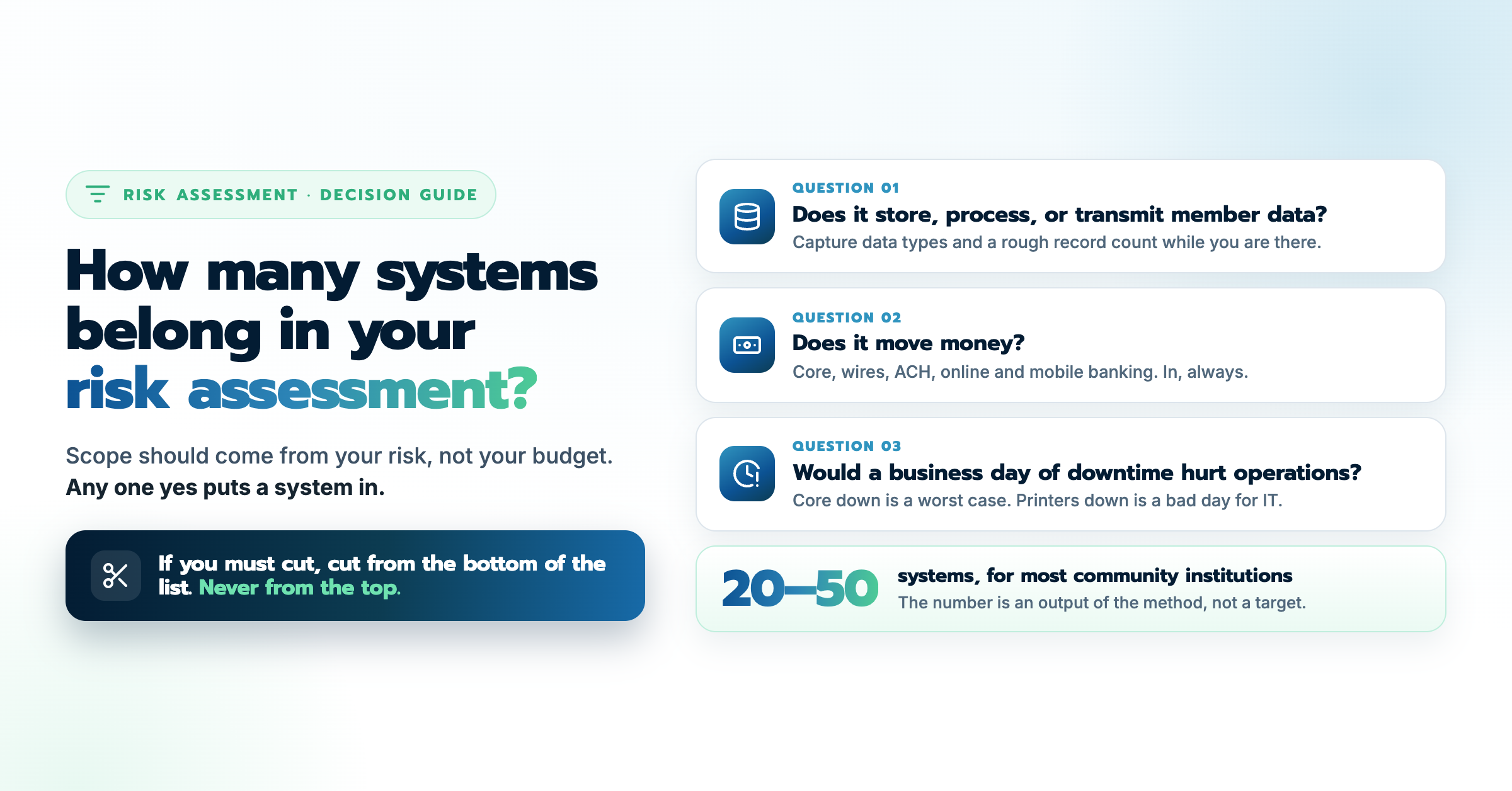
1. Does it store, process, or transmit member or customer data? If yes, it is in. This is the data your regulator, your insurer, and your members care about, and a breach here is where the real dollars are. While you are answering it, capture two more data points per system, because they power the quantification later: which data types the system holds (not every system holds every type), and a rough record count. "Roughly how many member records sit in this system, and what is the worst case if someone got in" is the question that turns a yes into a dollar figure, since each data type carries a defensible per-record value drawn from real-world breach data.
2. Does it move money? Core, wires, ACH, online and mobile banking, payment systems. In, always. These systems combine high-value data with direct fraud exposure.
3. Would a business day of downtime materially hurt operations? This is the criticality test, and the comparison we use on calls makes it concrete: core banking down for a day is close to a worst case, while the printers being down is an uncomfortable day for IT and nothing more. Core is in. Printers are not.
A system that passes any one of the three belongs in scope. What is left after those questions is the long tail: utilities, niche tools, the design software one department uses. That tail is where trimming is legitimate.
So what is the right number?
For most community banks and credit unions, the three questions land you between 20 and 50 systems, scaling with asset size and complexity. A $200 million credit union with a heavily outsourced stack might be right at 20. A multi-bank holding company might be right at 60. Both can be correct, because the number is an output of the method, not a target.
The number to be suspicious of is the one that moved for a reason other than risk. When a scope drops from 60 to 40 to fit a budget, ask which 20 systems left and why. If the answer is "the cheapest ones to remove" rather than "the least critical ones," the assessment now has a blind spot shaped exactly like the savings.
Why under-scoping costs more than it saves
Three ways the trimmed scope comes back around:
The exam finds the gap. Examiners read the system list against your environment. An information security risk assessment that skips systems holding member data is the kind of thing that turns into a finding, and remediation under a deadline costs more than the assessment ever would.
The risk does not leave when the system does. Excluding a system from the assessment does not exclude it from your loss exposure. This is where the dollar lens is clarifying: if a document management system holds 30,000 member records, its expected annual loss might be tens of thousands of dollars whether or not anyone modeled it. Descoping deleted the visibility, not the risk.
The board decides on a partial picture. Risk-based budgeting only works if the assessment saw the whole field. A prioritized roadmap built on 60 percent of your systems is a confident answer to the wrong question. And the payoff of full scope is often a specific, local insight no benchmark would surface. One client of ours in Oregon keeps their own servers in a data center that sits in a flood zone, so their assessment raises the disaster likelihood on exactly those systems and lets them weigh, in dollars, whether relocating is worth it. That decision only exists because the system was in scope with its real-world context attached.
The honest compromise, when resources are real constraints, is a documented rotation: assess every system that passes the three questions annually, and put the long tail on a two or three year cycle with the schedule written down. Examiners accept a rotation with a rationale far more readily than a silent exclusion.
Where the scope math changes
Part of why scope became a price lever is that in a manual assessment, every added system costs interviews, spreadsheets, and weeks. That trade-off is softer than it used to be. In Rivial Software, system owners answer questionnaires on their own time instead of in scheduled meetings, threats come pre-linked with base occurrence rates, and each system's risk is quantified in dollars through Monte Carlo simulation and rolled straight into board reporting. When adding ten systems no longer adds ten weeks, you can scope by the three questions instead of the calendar, and the board sees the full exposure picture in dollars, ranked, with nothing quietly missing.
See the method on your own systems
If you want to feel the difference before committing to anything, our free Cyber Risk Assessment quantifies the risk on five of your critical systems in dollars, in about two hours of your time. Pick the five the three questions rank highest and see what the full-scope version would show you. No cost, and no obligation after.
Here are the key takeaways from this blog:
- Define systems before counting them: similar data types, risks, and controls make a system, not a device count or an org chart. One password for every switch and router means one system.
- Three questions set the scope: member data, money movement, or a painful business day of downtime puts a system in.
- Expect 20 to 50 for most institutions: the number is an output of the method, and a number that moved for budget reasons marks a blind spot.
- Trim with a rotation, not a deletion: a documented multi-year cycle for the long tail is defensible; a silent exclusion is a future finding.
An Examiner Approved Cyber Risk Model
Check out the Cyber Risk Management Model that examiners reference below