

 Randy Lindberg
Most organizations I talk to moved to Microsoft 365 five, six, or seven years ago. A vendor set up the conditional access policies during the migration, everyone moved on, and those policies have not been touched since. Meanwhile, Microsoft has changed its security defaults, retired old settings, and shipped new recommendations every month of every one of those years.
The gap between how your tenant is configured and how it should be configured has been growing quietly the whole time, and examiners have started asking about it. This guide covers what a Microsoft 365 security assessment is, why Secure Score does not substitute for one, what examiners want to see, what a real assessment checks, and how to read the results so your team fixes the right things first.
Quick answer: A Microsoft 365 security assessment (often shortened to M365 security assessment) is a point-in-time review of how a Microsoft 365 tenant and its connected Azure subscriptions are configured, measured against a written security standard. It checks identity, email, collaboration, compute, storage, and database settings, validates each gap against evidence, rates every finding by the threat it exposes the organization to, and produces a ranked list of fixes. It is different from a vulnerability scan, which looks for unpatched software, and from Microsoft Secure Score, which tracks improvement actions rather than risk. Examiners increasingly want a dated review against a written standard, a risk-rated gap list, and documented management decisions on anything left open.
Rivial's Microsoft 365 and Azure Security Assessment
About 500 controls with a ranked fix list your team can start on day one


Why your Microsoft 365 tenant is now your biggest single risk
Three things changed while nobody was looking at the settings.
Drift. Configuration drift is the slow separation between what your policies say and what Microsoft now expects. The settings your migration partner applied in 2019 were reasonable in 2019. Since then, Microsoft has introduced security defaults, deprecated legacy authentication, changed how conditional access handles guests, and added dozens of new controls for Entra ID, Exchange, SharePoint, and Teams. Reading those release notes is easy. Implementing them is a full-time job, and no one on a lean security team has it.
Concentration. When your email, files, identity, and collaboration all live in one tenant, one compromised environment is the whole organization, not one system. The attacker does not need to bring tools in. Remote wipe, mail forwarding rules, admin role assignment, and access to every file in SharePoint are built-in features, and in a tenant nobody has hardened, they work for whoever holds the credentials. Trusting Microsoft with everything was probably the right call. Trusting Microsoft is not the same as configuring Microsoft.
Copilot. AI assistants make the concentration problem sharper. An over-shared SharePoint site or a stale permission was tolerable when a person had to go find the data. Copilot indexes everything the user can reach and removes that friction. Copilot can only be as safe as the tenant underneath it, and most tenants have never been checked. If you are building out AI governance, the tenant review is the first control.
Is Microsoft Secure Score enough? Why it is not a security assessment
When I ask an IT lead what their Secure Score is, most cannot say without looking it up. When they do, the number does not tell them much. Microsoft is clear about this in its own documentation: Secure Score measures improvement actions, not risk. It weights the settings Microsoft chose to score, and it does not know anything about your environment that it was not built to count.
Three gaps matter most.
It does not name the findings. A 72 percent score does not tell you which 400 accounts have never registered a multifactor method, or which 17 storage accounts have soft delete turned off. You need the list, by name, to fix anything.
It does not set a priority. A dashboard scores a setting on a test server the same as the same setting on every production system. Secure Score cannot tell you which gap to close before the next change window and which can wait a quarter.
It only sees what Microsoft scores. Shared mailboxes that accept direct sign-in, standing Global Administrator roles on everyday accounts, and backups one admin action can erase all sit outside or at the edge of the score. An organization can hold a strong score and still have every one of those problems.
Secure Score is a useful progress meter once you know what to fix. It is not the thing that tells you what to fix.
What do examiners ask about Microsoft 365 and cloud configuration?
From our experience over the last several exam cycles, FDIC and NCUA attention has shifted toward cloud and AI use. The questions are not about whether you use Microsoft 365. They are about whether you can show that you govern it.
Expect to be asked some version of these:
- When was your tenant configuration last reviewed against a documented standard, and by whom?
- Which accounts hold privileged roles, and how is that access controlled and monitored?
- How is multifactor authentication enforced, and which accounts are exempt?
- What protects your data in SharePoint, OneDrive, and Exchange from deletion or exfiltration?
- If you use Copilot or plan to, how have you reviewed data access before turning it on?
"Our vendor set that up" is an honest answer and a bad one. The configurations are yours. The drift is yours. When the examiner shows up, so is the finding. What holds up is a dated review against a written standard, a list of gaps rated by risk, a fix plan with owners, and a record of the risks management chose to accept and why.
What does a Microsoft 365 security assessment cover? Six steps
A proper assessment benchmarks the whole tenant against a written standard, validates every finding against evidence, and gives you a ranked list of what to fix. Here is how we run ours, step by step. Whether you do this with Rivial, another firm, or in house, the steps are the same.
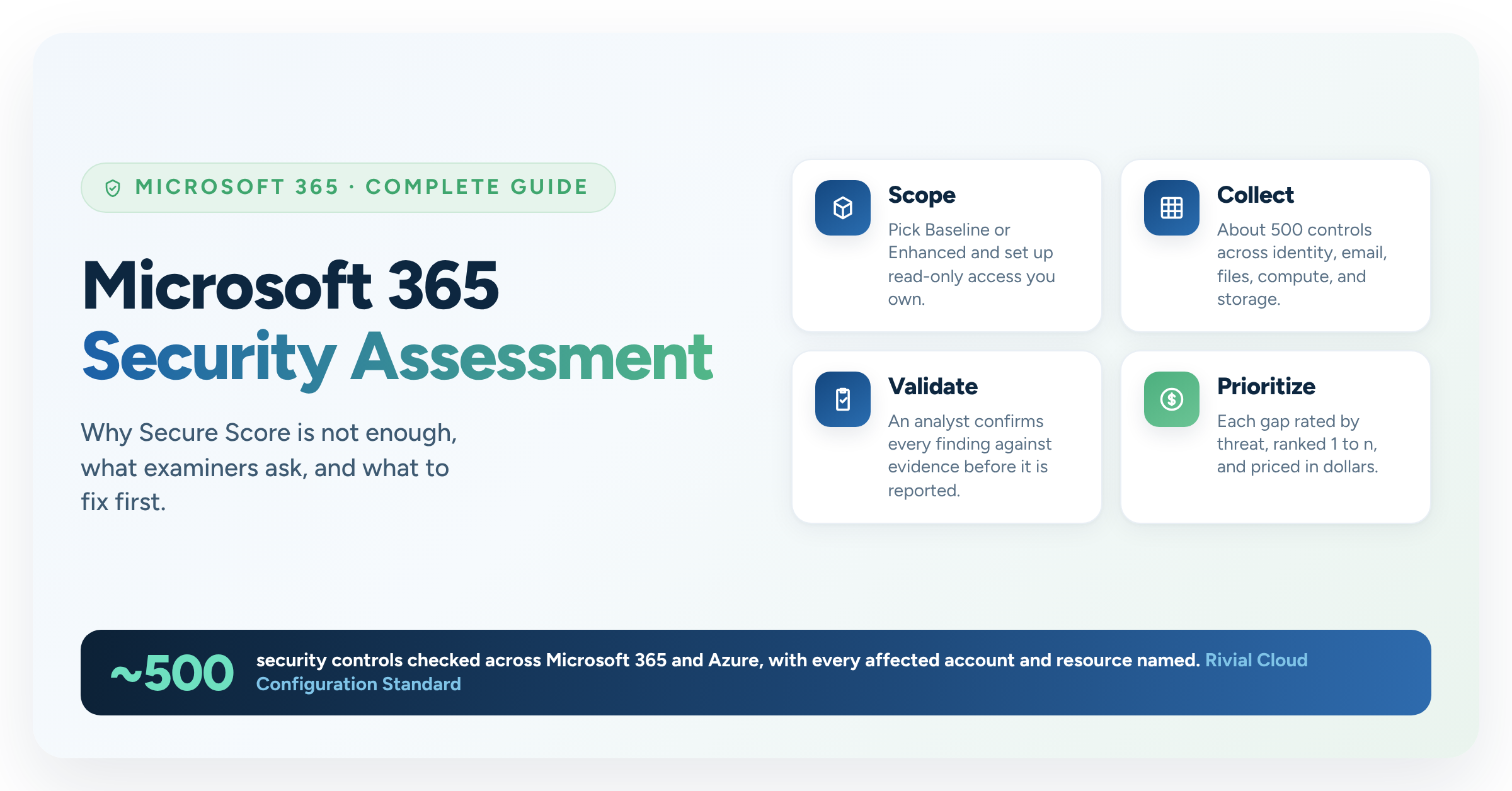
1. Scope the tenant and pick a maturity target. Confirm the Microsoft 365 license tier, which Azure subscriptions are in scope, and the maturity target. We use two: Baseline, the settings every organization should meet, and Enhanced, which adds defense-in-depth controls on top. Pick the one that matches where your program is, not where you wish it were. A Baseline pass with a plan beats an Enhanced fail with no plan.
2. Set up read-only access you own. This is where most organizations get nervous, and they should. You do not need to hand anyone admin access. Your team creates a single-tenant app registration you own and control, plus a guest reader account. No write role is requested. You can revoke the access the day the report lands. If an assessor asks for Global Administrator, ask why.
3. Collect the configuration. Our Rivial Cloud Configuration Standard covers about 500 security controls across identity, email, collaboration, compute, storage, and databases. Automated collection pulls the current state of every one of them. Services you do not use are recorded as not applicable, so the score reflects your environment and not a generic checklist.
4. Validate every finding against evidence. Automation finds. Analysts confirm. Every finding should be validated against the collected evidence before it reaches the report. Nothing gets reported as Critical until someone has looked at it. This is the difference between findings and recommendations: a finding names the affected accounts and resources and can be handed to an admin or MSP and worked on that day.
5. Rate each gap by the threat it exposes you to. This is the step that separates a scan from an assessment, and it is where the dollar question belongs. A missing setting is not a risk. The risk is what an attacker can do because the setting is missing: take over an account without a second factor, abuse a privileged role, destroy data and the backups with it. Each control maps to one of those scenarios, rated for likelihood and impact on NIST SP 800-30 scales. Your environment's evidence can raise a rating. Nothing lowers one.
Once a gap is tied to a scenario, you can put a number on it. If 370 of 469 internal accounts have never registered a multifactor method, the question for the board is not "is this High or Medium," it is "what does an account takeover cost us." That is a dollar figure, and it is the only version of the finding a board can weigh against the cost of fixing it.
This is where the assessment connects to the rest of your risk program. In Rivial Software, each validated gap is tagged as a risk in your assessment, run through the Cyber Risk Model to express likelihood and impact in dollars rather than a color, and rolled into board reporting alongside your other risks. A configuration finding stops being an IT ticket and becomes a line in the same risk register the board already reads.
6. Deliver two documents for two readers. The leader who approves the work needs a few pages: overall posture, the score against the maturity target, the most significant gaps, what an attacker could do today, and what to do in the next 30 and 90 days. The admin or MSP who does the work needs a full risk-rated workbook: one row per finding, every affected account or resource by name, a link to the portal page where the change is made, numbered fix steps, and how to confirm it worked. One document cannot serve both readers. Insist on both.
If you want to see what the first of those two documents looks like before you talk to anyone, download the sample executive summary. It is the same few pages we hand to IT leadership at the readout, with the posture summary, the top gaps, and the 30-day and 90-day plan. Instant download, no sales call required.
How to read the results and fix the right things first
A good report is a work order, not a grade. Three things to look for.
A fix order, not just a severity. Every finding should carry a priority (Critical, High, Medium, or Low) and a position from 1 to n in the fix list. Critical means before the next change window. If two findings are both Critical, the list should still tell you which one is first.
A management response. A handful of settings depend on business context the assessor cannot see. For each of those, your team records a decision: fix it, with an owner and a date, or accept the risk and record why. That record is what you hand the examiner when they ask why a gap is still open. Silence is a finding. A documented decision is governance.
A methodology you can show. If an examiner or a board member asks how a priority was derived, you should be able to produce the threat scenario behind the control and the sources behind the rating. If your assessor cannot explain the rating, the rating is an opinion.
Then re-test. Configuration drift does not stop because you fixed it once. A tenant checked against the same standard a year later gives you a trend line, and a trend line is the strongest evidence of governance there is.
Frequently asked questions about Microsoft 365 security assessments
How often should a Microsoft 365 tenant be assessed? Once a year at minimum, and after any major change such as a license tier upgrade, a merger, a new MSP, or turning on Copilot. Microsoft changes security defaults monthly, so an annual re-test against the same standard is the practical floor for showing an examiner a trend.
Does an assessment require giving an outside firm admin access? No. A properly scoped assessment runs on read-only access: a single-tenant app registration your team owns, a guest reader account, and Global Reader in Azure. No write role is needed, and you can revoke the access the day the report is delivered.
How long does a Microsoft 365 security assessment take? Most engagements run three to six weeks from kickoff to final report. Your team's total time is usually five to ten hours, most of it in the first week setting up access and in the last week at the readout.
What is the difference between Secure Score and a security assessment? Secure Score is a Microsoft dashboard that tracks improvement actions on the settings Microsoft chose to score. A security assessment checks the whole tenant against a written standard, names every affected account and resource, and rates each gap by risk so you know what to fix first.
We only use Microsoft 365, not Azure. Does this still apply? Yes. Every Microsoft 365 tenant sits on an Entra ID directory, which is Azure. Identity, conditional access, and privileged roles are assessed whether or not you run Azure workloads. Azure subscriptions are added to scope only if you have them.
Do examiners actually ask about Microsoft 365 configuration? Increasingly, yes. FDIC and NCUA attention has shifted toward cloud and AI use, and the questions center on whether you can show a dated review against a standard, a risk-rated gap list, and documented management decisions on open items.
Here are the key takeaways from this blog:
- Your tenant has drifted: settings applied at migration have not kept pace with years of Microsoft changes, and the gap grows every month.
- Secure Score is a meter, not an assessment: it does not name the affected accounts, set a priority, or see the settings Microsoft chose not to score.
- Examiners want a dated review against a written standard: "our vendor set that up" does not hold up in an exam.
- Insist on read-only access and validated findings: you own the access, you can revoke it, and nothing is reported as Critical until an analyst has confirmed it.
- Put the risk in dollars: a gap tied to a threat scenario can be priced, and a priced risk is the only version a board can act on.
Know Before the Examiner Does
See the full assessment, or download the sample executive summary first