

 Lucas Hathaway
How to Review a SOC 2 Report in Minutes, Not Hours
 Lucas Hathaway : 26 Aug 2026
A step by step process for reviewing a SOC 2 report fast, from scope check to exceptions to rating, plus a free vendor security template.
A risk leader at a large financial institution said something on a call this year that we have heard some version of at almost every institution since: "I don't think we're adequately assessing vendors who have an AI element to their offering."
That is an honest read of where most programs are. The problem is not that teams are ignoring AI. It is that the AI showed up after the review was done. You assessed the vendor two years ago, you filed the SOC 2, you set the renewal date, and somewhere in a point release the vendor turned on a summarization feature, a chatbot, or a model that scores something. Nobody sent a notice.
Quick answer: To assess a vendor's AI features, first find them by asking vendors directly, monitoring release notes, and surveying departments. Then triage with two questions: does the AI touch customer data, and does it make or influence decisions about a person. Vendors answering yes to either get a full review covering training data use, tenant isolation, human oversight, bias and drift testing, and the right to disable. Put the answers in the contract, and re-review any vendor that adds AI regardless of its renewal date.
Built for lean security teams in highly regulated industries


Three reasons, and it helps to name them.
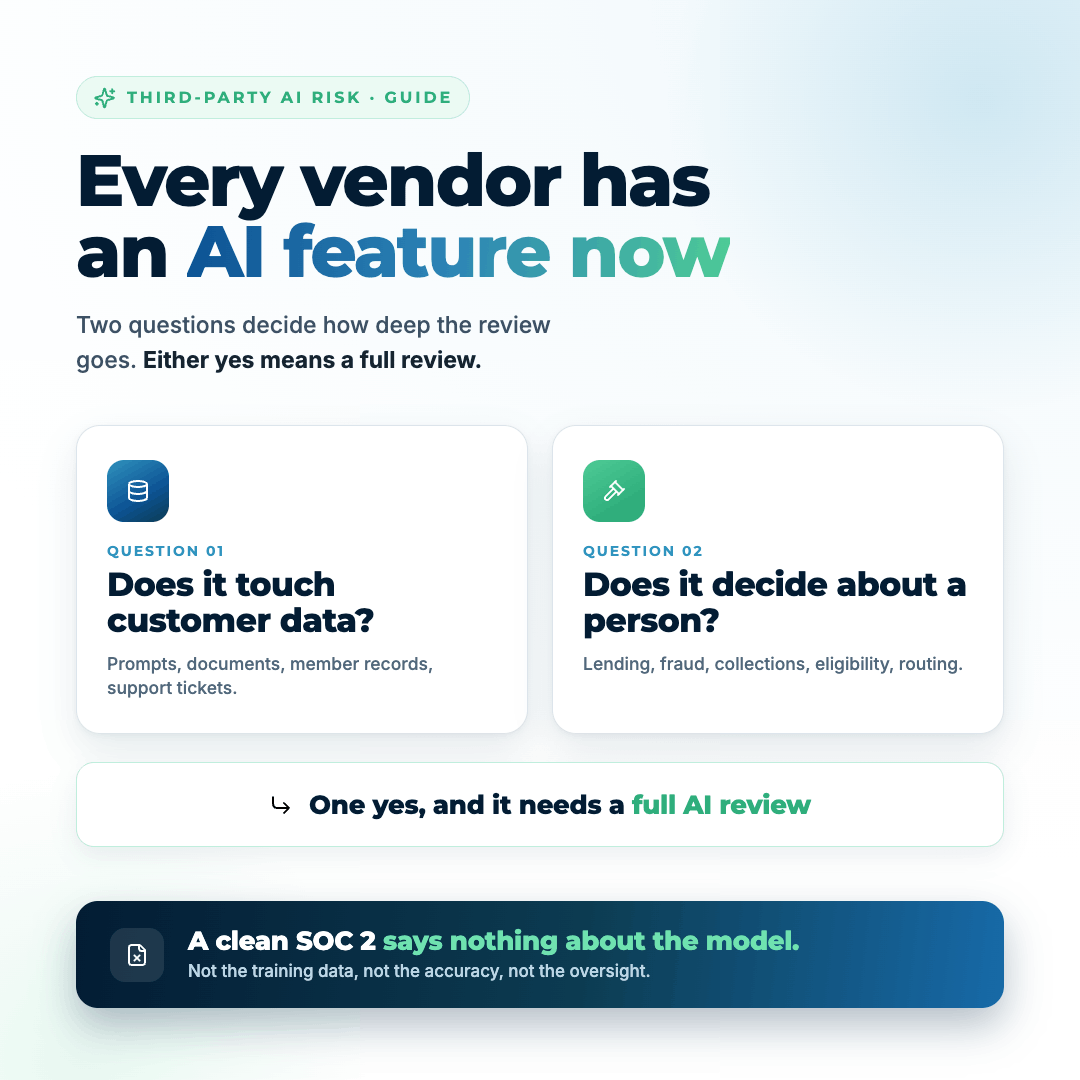
The SOC 2 was not built for this. A SOC 2 tells you how a vendor runs their security program. It says nothing about how a model was trained, what data went into it, whether your data is used for training, or what happens when the model gets an answer wrong. Those are not trust services criteria. You can hold a perfectly clean Type 2 report and still have no idea whether your member data is sitting in a training set. If you want the underlying review process tightened first, start with how to review a SOC 2 report.
AI arrives between reviews. Vendor risk programs are built around onboarding and annual renewal. AI features ship on a product release cadence, which is monthly for a lot of software. The gap between those two clocks is where the risk lives.
The feature does not always look like AI. Teams inventory the obvious ones: the chatbot, the lending model, the fraud engine. They miss the AI baked into the ticketing system's search, the meeting recorder that joined a call, the document tool that started summarizing. One security officer told us they sanctioned Copilot and thought they were done, and then note takers flew in from every vendor they had.
Start with the vendors you already have, not with a new questionnaire for new vendors. Pull your vendor list and work three sources at once.
Ask the vendors directly. A single short email to every critical and high vendor works better than people expect: does your product include AI or machine learning features, are they on by default, can they be disabled, and does our data train your models? Give them two weeks. Track the non-responses, because a vendor that will not answer that question has told you something.
Read the release notes. For your top ten vendors, someone should be reading release notes and product announcements. It is a thirty minute task per month and it is the only early warning system you have.
Survey the departments. Ask business owners what tools they are using and what those tools do now that they did not do last year. The people using the product every day notice the new summarize button before security does.
Add a single field to your vendor inventory: does this solution have an AI component. That one field turns an open ended worry into a filterable list. Our AI inventory template for financial institutions covers the full inventory build if you are starting from nothing.
You cannot deep dive every vendor with an AI feature, and you should not try. Two questions sort the list fast.
If either answer is yes, that vendor gets a full AI review. If both are no, document the feature, note that it is low risk, and move on.
| Answer pattern | Example | Review depth | Testing cadence |
|---|---|---|---|
Touches data and makes decisions |
AI lending or underwriting model | Full review plus fair lending documentation | Monthly |
Touches data, no decisions |
Member-facing chatbot, document summarizer with PII access | Full review | Quarterly |
Decisions, no customer data |
Internal ticket routing, staffing tools | Focused review on oversight and bias | Quarterly |
Neither |
Meeting summarizer with no member data | Document and move on | Annual |
A meeting summarizer that never sees member data and never decides anything is a policy and training issue, not a deep due diligence project. A lending model that scores applicants is the opposite.
Once a vendor clears the triage, here is the question set. Ask for written answers, and file them with the SOC report.
Data handling
Model and infrastructure
Decisions and human oversight
Testing and quality
Control and exit
That last one is worth pushing on. Notification before activation is the single clause that keeps your vendor file from going stale between reviews.
Incidents
The questionnaire answers are a snapshot. The contract is what holds. When your agreement comes up for renewal, the clauses worth fighting for are the ones that map to the answers above: no training on your data, tenant isolation, notification before new AI features are enabled, the right to disable, access to bias and accuracy testing results, defined AI incident notification, and subprocessor disclosure with change notice.
You will not win all of them with every vendor. Get them in the order of your triage: the vendors that touch member data and make decisions first.
The mistake is treating this as a project. It should be four small permanent changes:
That last point matters more than it sounds. NIST says this plainly in the AI Risk Management Framework: do not build a new risk model for AI, extend the existing one. AI usually does not create a new category of risk on your register. It raises the likelihood of the ones you already track and adds a couple of new threat types. Your existing assessment can carry it. Our guide to where to start with the NIST AI RMF walks the framework in order.
Here is the move that makes all of this land with leadership. When you finish an AI vendor review, do not stop at a rating. Ask what changed in dollars.
If a vendor that holds member PII just turned on a feature that sends prompt content to a third party model provider, the data types have not changed but the exposure paths have. That shifts the likelihood inputs on a system you have already assessed, and the modeled expected annual loss moves with it. Now you can walk into a management meeting and say that enabling this feature raises expected annual loss on the core member data system by a specific amount, and that disabling it or getting a no training clause brings it back down. That is a decision the business can make. A vendor rating of "medium, with AI" is not.
In the Rivial vendor security module, the AI component lives inside the vendor review you are already doing rather than in a separate spreadsheet. You upload the vendor's SOC report, policies, and AI documentation, run the AI vendor review against your own control set, and the review maps their controls to yours in a couple of minutes. You spot check the critical ones. Vendors and solutions carry an AI flag, so you can filter your whole third party population down to the ones that need the deeper questions.
From there, the risks you tag in the vendor review roll into the cyber risk assessment, and the assessment reports to your board in dollars using the eight element cyber risk model and Monte Carlo analysis. Your AI vendor exposure stops being a separate conversation and becomes a line in the number your board already looks at.
Before you build an AI specific process, make sure the underlying vendor review is solid, because the AI questions sit on top of it. Download our free Vendor Cybersecurity Template. It gives you the control subset to hold vendors to, the due diligence questions to send, and a review format you can reuse. Instant download, no sales call required.
Generally no. The trust services criteria a SOC 2 tests cover security, availability, processing integrity, confidentiality, and privacy of the service organization's systems. They do not address how a model was trained, whether customer data is used for training, model accuracy, bias testing, or human oversight of automated decisions. Those require a separate set of questions.
At minimum: whether your data trains their models, whether your data is isolated at the tenant level, which models and providers they use, what decisions the AI makes without a human, how they test for bias and drift, whether you can disable the features, and whether they will notify you before enabling new AI capabilities on your tenant.
Three sources together: email your critical and high vendors directly and ask, assign someone to read release notes for your top ten vendors monthly, and survey business owners about what their tools do now that they did not do last year. No single source catches everything, and release notes are the earliest signal.
No. The NIST AI Risk Management Framework recommends extending an existing risk model rather than building a parallel one. AI typically raises the likelihood of risks you already track, such as unauthorized data disclosure, and adds a small number of new threat types. Add AI as an attribute on existing systems and vendors instead of a separate register.
The highest value clauses are: no training on customer data, tenant level data isolation, notification before new AI features are enabled, the right to disable AI features while retaining the product, access to bias and accuracy test results, a defined AI incident with notification timelines, and subprocessor disclosure with advance notice of changes.
Tie the cadence to the triage. Vendors whose AI touches customer data and makes decisions warrant monthly monitoring and at least annual full review. Vendors whose AI touches data but makes no decisions fit a quarterly check. Low risk internal tools can stay annual. Any vendor that adds a new AI feature should trigger a review immediately, regardless of the renewal date.
Here are the key takeaways from this blog:
Tags: Vendor Management, Third-Party Risk, AI Governance, AI Risk, Risk Assessment
Built for lean security teams in highly regulated industries
 Lucas Hathaway : 26 Aug 2026
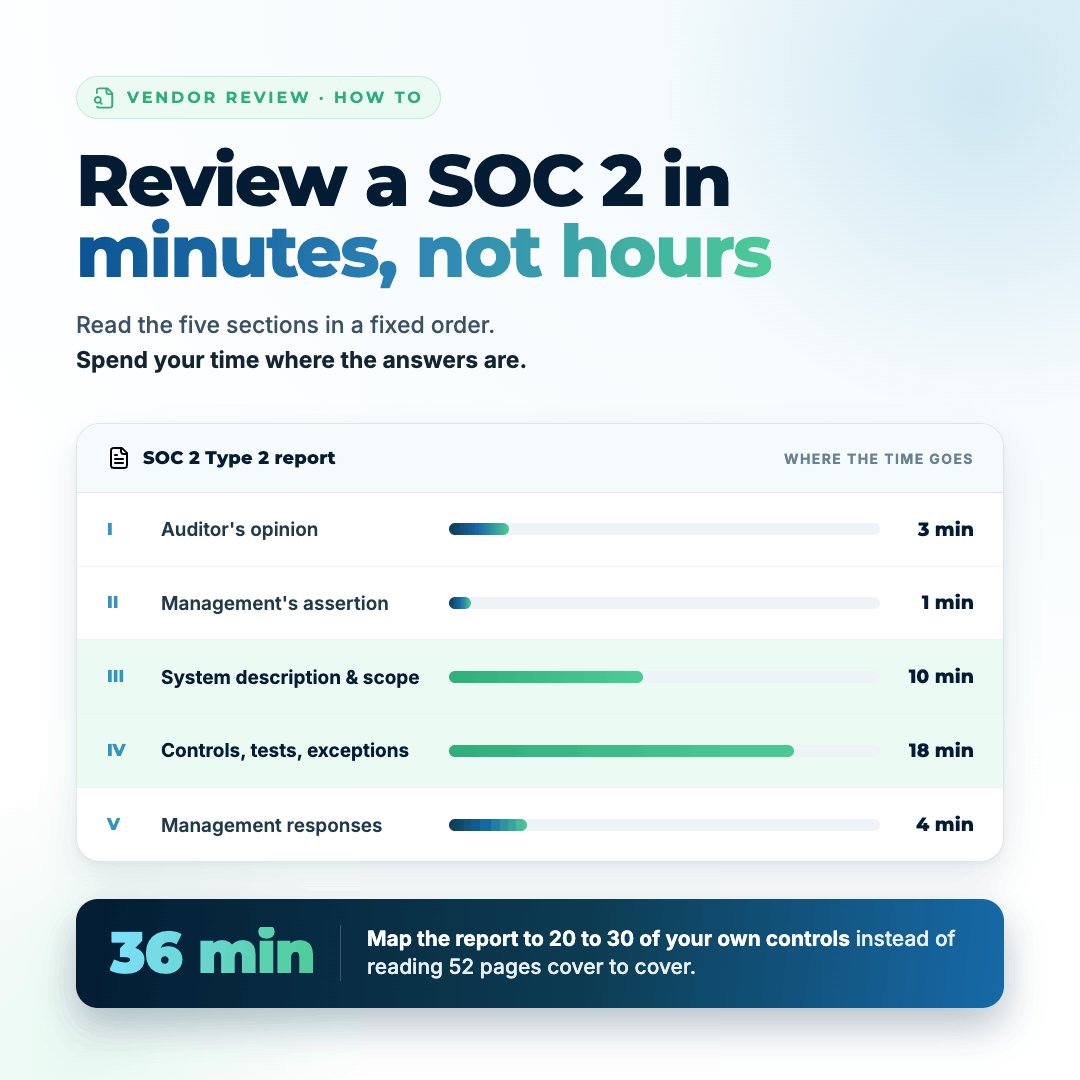
A step by step process for reviewing a SOC 2 report fast, from scope check to exceptions to rating, plus a free vendor security template.
 Lucas Hathaway : 21 Oct 2026
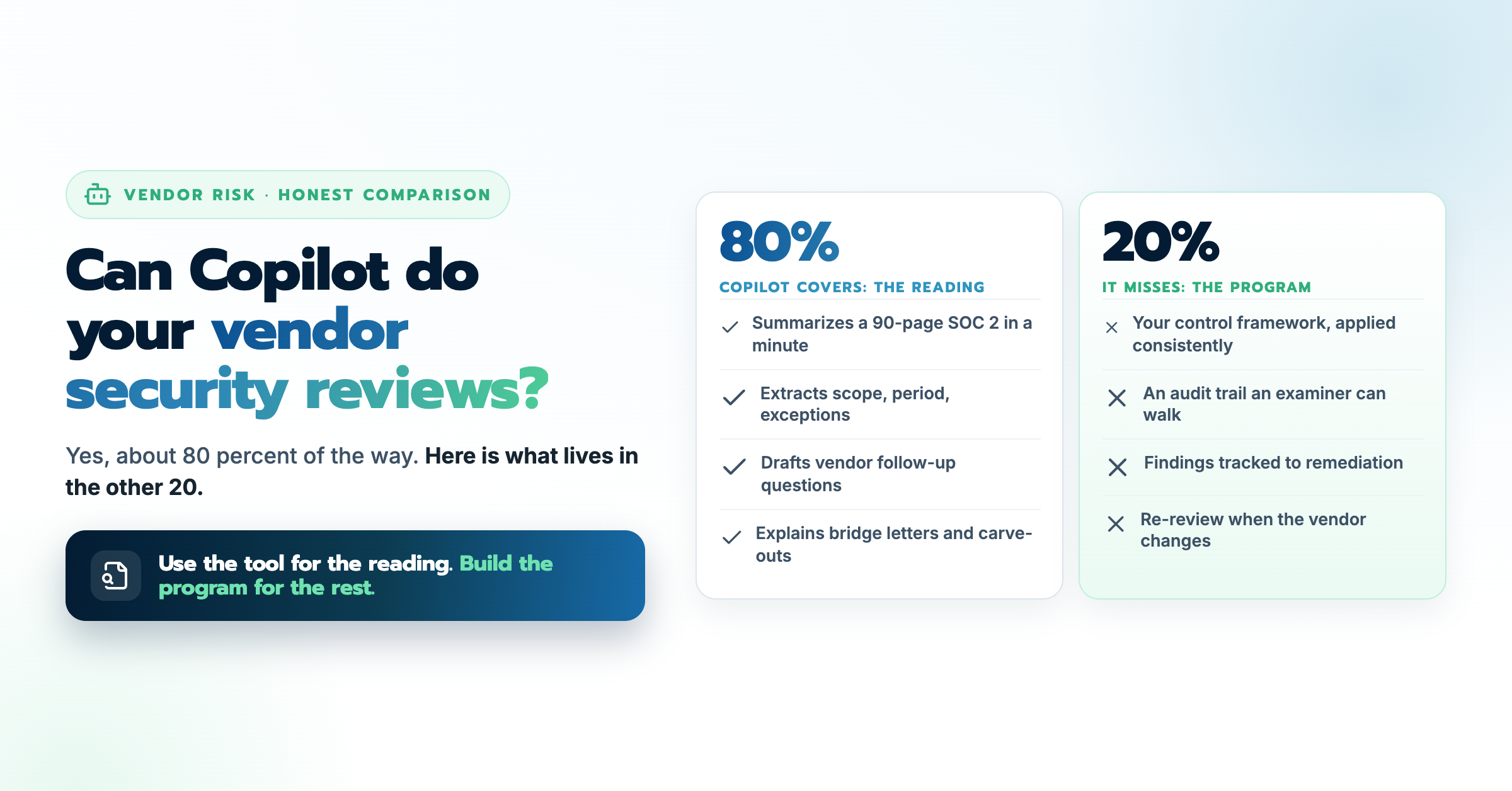
Copilot can summarize a SOC 2. Here is what a general AI tool does well in vendor security reviews, where it falls short, and what a real program...
 Lucas Hathaway : 30 May 2026
A risk-tiered vendor due diligence checklist built for credit unions and community banks to satisfy NCUA and FDIC examiner expectations.