A security officer at a credit union described their AI inventory to us like this: they went through the exercise, came out the other side with only Copilot sanctioned, and felt good about it. Then the note takers flew in from every vendor. Meeting recorders, summarizers, assistants, all riding in on tools the institution already owned.
Another put it more plainly: "I know people are using AI, it's not governed, I'm not able to see the usage."
Quick answer: Shadow AI is AI in use at an organization without security review or approval, including AI features enabled inside already-approved vendor products. Finding it requires three sources run together: technical discovery through web traffic, browser extensions, and OAuth grants; vendor management review of AI components in existing products; and department surveys that catch personal account use. Sort what you find into sanction, restrict, or block, then make the AI component field permanent in your vendor inventory so the list stays current.
We do this exercise with institutions regularly, and the good news is that it is a two week project, not a two quarter one.
AI Governance Resources
Built for lean security teams in highly regulated industries


What is shadow AI?
Definition: Shadow AI is any use of artificial intelligence tools or features within an organization that has not gone through security review, procurement, or governance approval. It covers both standalone tools employees adopt on their own and AI capabilities activated inside software the organization already licenses.
That second half is what makes it harder than shadow IT, and it is where most inventories fall short.
Why is shadow AI harder to find than shadow IT?
Three reasons, and it is worth naming them because they explain why the usual discovery methods come up short.
It rides in on tools you already approved. Nobody procured the AI in your ticketing system's search, your document platform's summarizer, or your meeting tool's recap. It arrived in a release. There is no purchase order to find and no new domain in the logs.
It is free and it is in the browser. An employee pasting a member complaint into a free chatbot to reword it does not create a bill, a contract, or an install. It creates a data disclosure that nothing in your stack necessarily records.
Nobody thinks they are doing anything wrong. Shadow IT often came with a whiff of workaround. Using AI to draft a memo feels like using spellcheck. Your employees are not hiding it. They just do not think it is a security event, which means asking them directly works better than you would expect.
How do you find shadow AI? The three source inventory
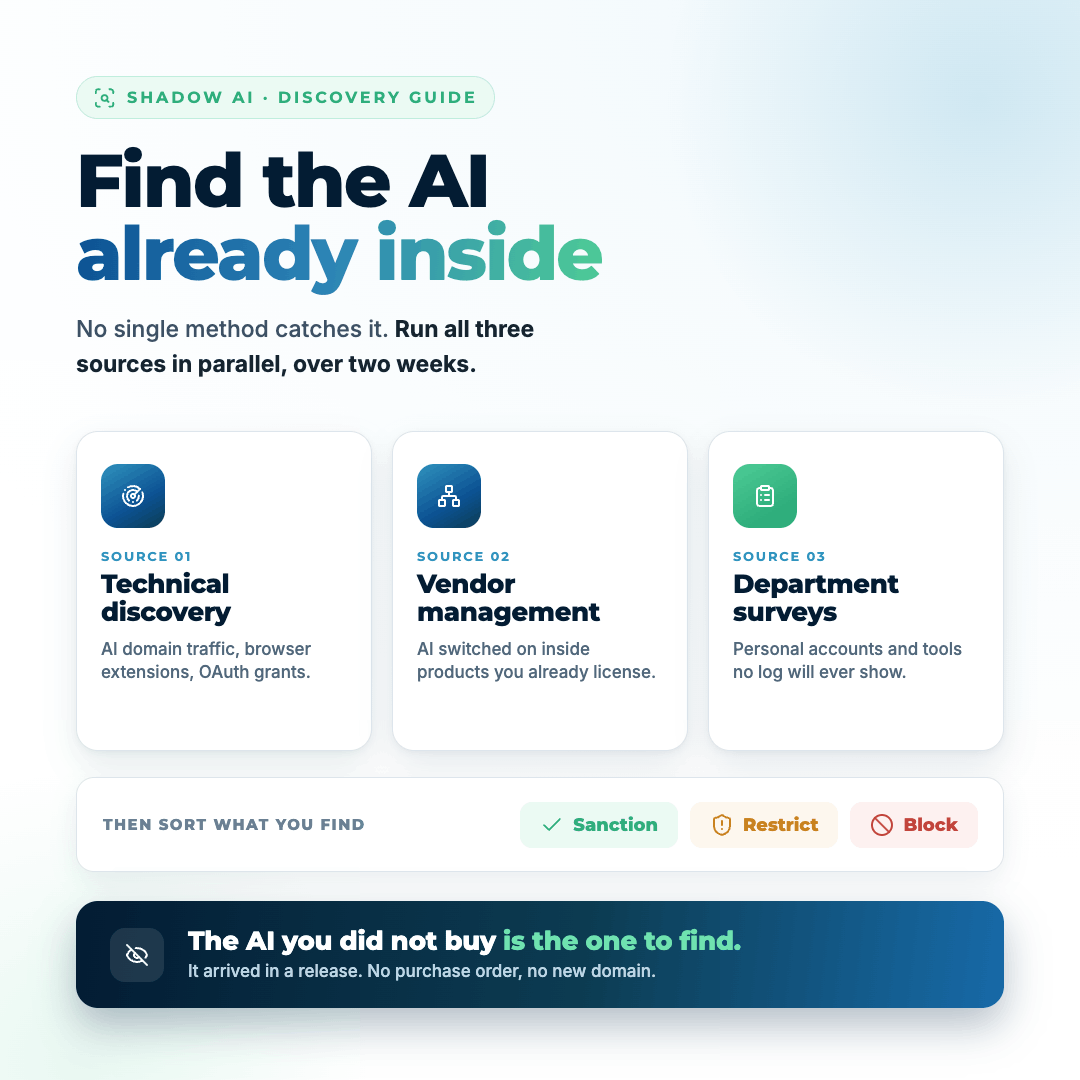
One discovery method will miss most of it. Three together get you to a real list. Run all three in parallel over about two weeks.
| Source |
What it catches |
What it misses |
| Technical discovery |
Browser-based tools, extensions, OAuth grants, sanctioned tool usage levels |
Personal devices, personal accounts, AI inside approved products |
| Vendor management |
AI features enabled inside products you already license |
Anything not in the vendor inventory |
| Department surveys |
Personal account use, unmanaged devices, shadow workflows |
Anything people forget or do not recognize as AI |
Source 1: Technical discovery
Start with what your existing stack can already tell you.
- Web and DNS traffic. Pull the list of AI domains being reached from your network and endpoints. Your secure web gateway or DNS filtering can categorize this, and several vendors now have an AI or generative AI category built in. Rank by unique users and by volume.
- Browser extensions. Inventory installed extensions across managed endpoints. This is where a lot of the free AI tooling lives and it is frequently the biggest surprise in the report.
- SaaS and OAuth grants. Look at what third party applications employees have granted access to your Microsoft 365 or Google Workspace tenant. Meeting recorders almost always show up here, because they need calendar and meeting access to join.
- Your identity provider's app list. Anything with a sign in flow leaves a trace.
- Copilot and native AI usage reports. If you have sanctioned something, pull its actual usage data. Adoption is often lower or higher than assumed, and both answers matter.
Source 2: Vendor management
This is the source most teams underuse, and it is where the AI you did not choose is hiding.
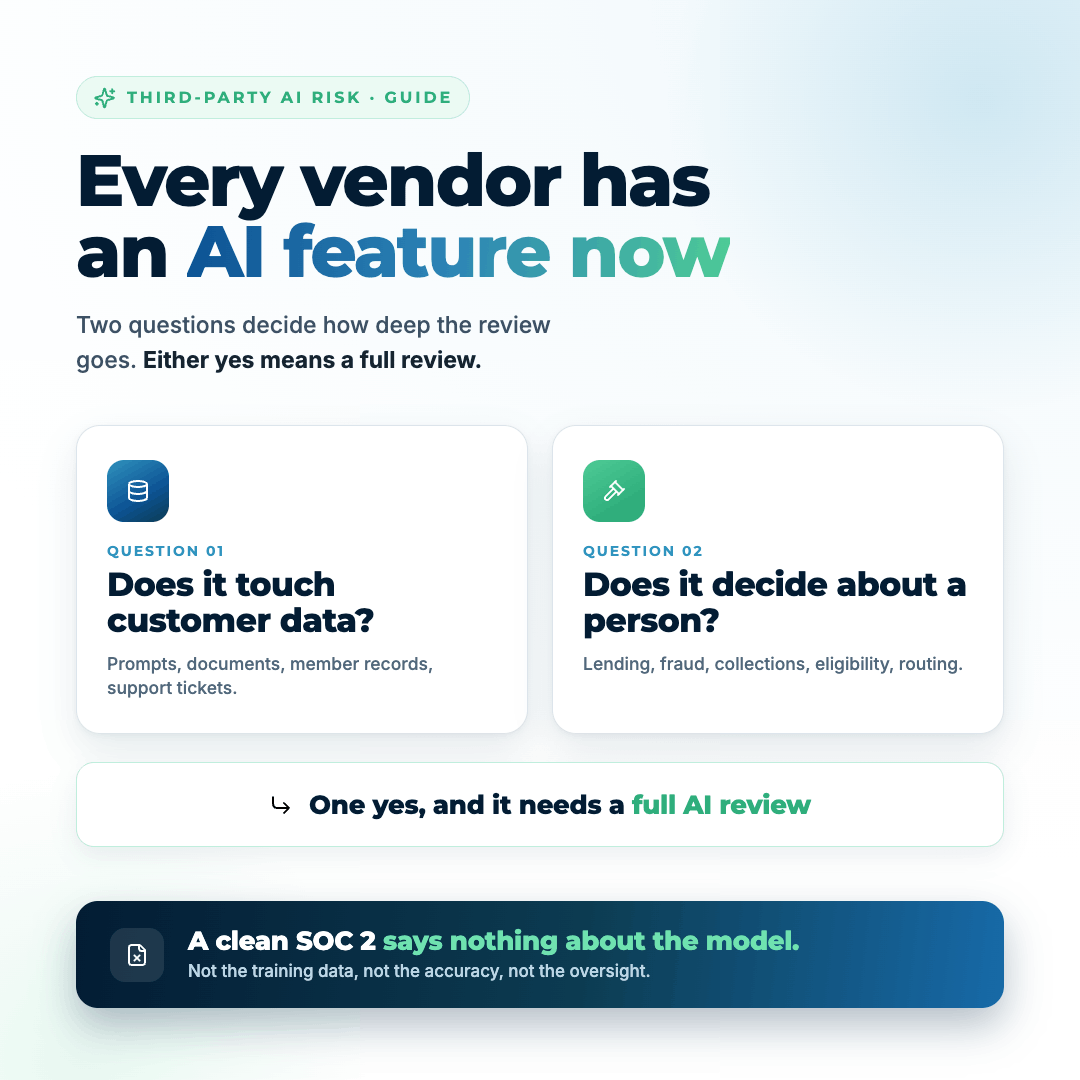
Go through your vendor inventory and, for each critical and high vendor, answer one question: does this solution have an AI component. Email the vendors who you cannot answer for. Ask whether AI features exist, whether they are on by default, whether they can be disabled, and whether your data trains their models. Our guide to assessing vendor AI features has the full question set.
Then make it permanent. Add a single field to your vendor inventory and your risk assessment: does this solution have an AI component. That one field is what keeps you from repeating this whole exercise next year.
Source 3: Department surveys
Ask people. It works, and it is the only source that catches the personal account use that never touches a managed device.
Keep the survey short, five questions or fewer, and make it explicitly non punitive. You are inventorying, not investigating, and if the survey reads like an audit you will get useless answers. Ask what AI tools they use, what they use them for, what kind of information they put into them, and whether the tool is company provided or personal.
Send it through department heads rather than as a blanket security email. Response rates roughly double, and business owners tend to surface tools their teams use that never appear in any log. If you want a structure to record all of this in, start with our AI inventory template for financial institutions.
What do you do with what you find?
Sort everything into three buckets. Do this quickly, because the value of the inventory decays if it sits.
Sanction. The tools that meet your requirements and have a real business use. Name them specifically in the policy. Put the guardrails in place, document the business owner, and put them in the vendor review cycle.
Restrict. Tools with a legitimate use but real exposure. Allow them for specific teams, specific data types, or specific use cases, with conditions written down.
Block. Tools that do not meet requirements and have a sanctioned alternative. Block at the gateway, and tell people what to use instead. A block with no alternative just moves the activity to a personal phone where you will never see it.
One warning from the field. We have seen the opposite failure mode, where a policy gets written so broadly that an entire category of AI tools is approved on a manager's say so. One institution had to walk that back and restrict use down to a short list of named tools plus Copilot. Too permissive is not safer than too restrictive. It just fails later and in front of an examiner.
The guardrails that actually hold
An inventory without controls is a document. Four things do most of the work.
Data loss prevention with financial data models. If you are in Microsoft 365, the prebuilt GLBA models look for Social Security numbers, card numbers, driver's license numbers, and similar. Configured to block rather than warn, it stops the spreadsheet of member numbers from getting pasted into a chatbot in the first place. One institution we worked with had this enabled and blocking for Copilot, and it is the single highest value control in this whole guide.
A named tool allowlist. Policy that names specific approved tools, not categories. "Approved AI assistants" is not enforceable. A list of three product names is. Our breakdown of key components of an AI security policy covers what else belongs in the document.
A human review requirement, written as procedure. Document what a human must review versus what AI can decide on its own. This matters most where AI touches lending, fraud, collections, or member communications. If an examiner or a fair lending audit ever asks, you need the documented sign off, not a description of good intentions.
Training tied to the sanctioned tools. People who have been trained on the approved tool use the approved tool. Most shadow AI is a usability problem before it is a compliance problem.
Make it stick
The inventory you build this month is only useful if it stays current. Four permanent hooks:
- The AI component field in your vendor inventory and risk assessment, checked at every review.
- A standing item in your AI or technology committee agenda: what is new since last meeting.
- Release note monitoring for your top ten vendors.
- The technical discovery report rerun quarterly, comparing against last quarter's list.
And align the whole thing to the NIST AI Risk Management Framework, because that is what regulators are pointing at. NIST's own guidance says something worth repeating: do not build a new risk model for AI, extend the one you have. Your inventory is the map function. Your existing cyber risk assessment carries the rest. If you have not started the framework yet, where to start with the NIST AI RMF walks it in order.
What is shadow AI worth in dollars?
Here is the part that gets you resources instead of sympathy.
An inventory alone is a list. It does not tell your executives whether to care. Translate it. If your discovery found that a meaningful share of employees are putting member information into unmanaged tools, you have not created a new risk category on your register. You have raised the likelihood on a risk you already track: unauthorized disclosure of member data. Same data types, same impact, higher probability.
Run that through your model and you get a number. Then the ask changes shape. Instead of "we should really get a handle on AI," it becomes: shadow AI use raises expected annual loss on our member data by a specific dollar amount, DLP enforcement and a named tool policy bring it back down, and here is the cost and the resulting return. That is a request leadership can approve.
Where the Rivial platform does this for you
In Rivial's AI governance solution, AI does not live in a separate module off to the side. Vendors and solutions carry an AI flag, so your third party inventory becomes your AI inventory. AI risk gets tagged inside the same cyber risk assessment you already run, changing the likelihood and impact inputs on existing systems rather than creating a parallel register. The assessment then reports to your board in dollars using the eight element cyber risk model and Monte Carlo analysis.
The practical effect is one conversation instead of two. Your AI exposure shows up in the same number your board already reviews, and your examiner sees a governance program rather than a spreadsheet someone built last month.
Start with the policy
Once you know what is running, the next artifact you need is the policy that governs it, and it is the one examiners ask for first. Download our free AI Information Security Policy Template. It covers acceptable use, the named tool approach, data classification rules for AI input, the human review requirement, and vendor AI expectations, written for a regulated institution. Instant download, no sales call required.
Frequently asked questions
What is shadow AI?
Shadow AI is any use of artificial intelligence at an organization that has not gone through security review or governance approval. It includes standalone tools employees adopt on their own, such as free chatbots and browser extensions, and AI features switched on inside software the organization already licenses, such as meeting recorders, search assistants, and document summarizers.
How do you detect shadow AI in an organization?
No single method finds it all. Combine technical discovery (web and DNS traffic categorized for AI domains, browser extension inventory, OAuth grants to your Microsoft 365 or Google Workspace tenant), vendor management review of AI components in existing products, and short non-punitive department surveys that catch personal account use on unmanaged devices.
Why is shadow AI riskier than shadow IT?
Shadow IT usually left a financial or network trace. Shadow AI often does not: free browser tools create no invoice or install, and AI inside approved products arrives in a release with no procurement event. The exposure is also immediate, because a single paste of customer data into an unmanaged tool is a disclosure rather than an unapproved subscription.
Should we block AI tools entirely?
Blocking without a sanctioned alternative pushes the activity to personal devices where you have no visibility at all. The workable pattern is to sanction a small number of named tools with guardrails, restrict others to specific teams and data types, and block only what has an approved substitute. Pair every block with a clear statement of what to use instead.
What controls stop employees pasting customer
data into AI tools?
Data loss prevention configured to block, not warn, is the highest value control. In Microsoft 365 the prebuilt GLBA models detect Social Security numbers, card numbers, and driver's license numbers before they leave. Pair that with a policy naming specific approved tools and training tied to those tools, since most shadow AI use starts as a usability gap.
Do examiners ask about AI use?
Examiners have started asking financial institutions for AI policies, acceptable use standards, AI inventories, and vendor AI documentation, and they point to the NIST AI Risk Management Framework as the reference. Formal guidance is still developing, so the practical position is to have an inventory, a policy, and documented human oversight before the question arrives.
Key takeaways
Here are the key takeaways from this blog:
- The AI you did not buy is the problem: most shadow AI arrives through tools you already approved, in a release nobody announced.
- One discovery method is not enough: run technical discovery, vendor management, and department surveys together, in parallel.
- Sanction, restrict, or block, and never block without an alternative: an unusable policy moves the activity to a personal phone.
- Too permissive fails too: category wide approvals get walked back, usually at the worst time.
- Quantify it: shadow AI raises the likelihood on risks you already track, and a dollar figure is what gets the control funded.
Tags: AI Governance, Shadow AI, AI Risk, Vendor Management, NIST AI RMF
AI Governance Resources
Built for lean security teams in highly regulated industries


 Lucas Hathaway
 Lucas Hathaway : 05 Aug 2026